
Documentation Index

Fetch the complete documentation index at: https://docs.objectionly.com/llms.txt

Use this file to discover all available pages before exploring further.

Who can do this: Admins
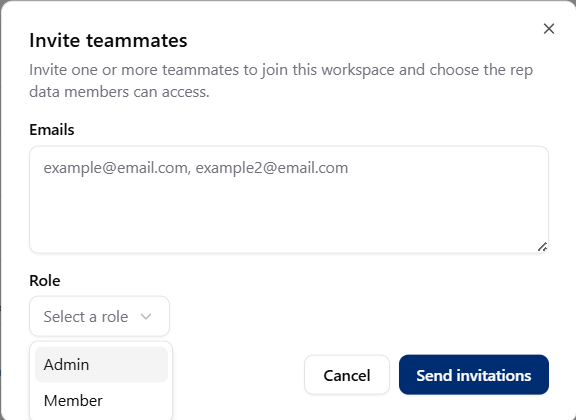
Invite a teammate as an Admin when they need to manage the workspace, including billing, integrations, settings, reps, calls, and team members. Invite teammates dialog with Admin role option

Invite an Admin

1

Go to the Team page

2

Select Invite

Start a new teammate invitation.
3

Enter the person's email

Use the email address they should use to join your workspace.
4

Choose Admin

Select Admin as their role.
5

Send the invite

Select Send invite.
Admins have full access to your workspace, including billing. Only invite people you trust.