
Who can do this: Admins
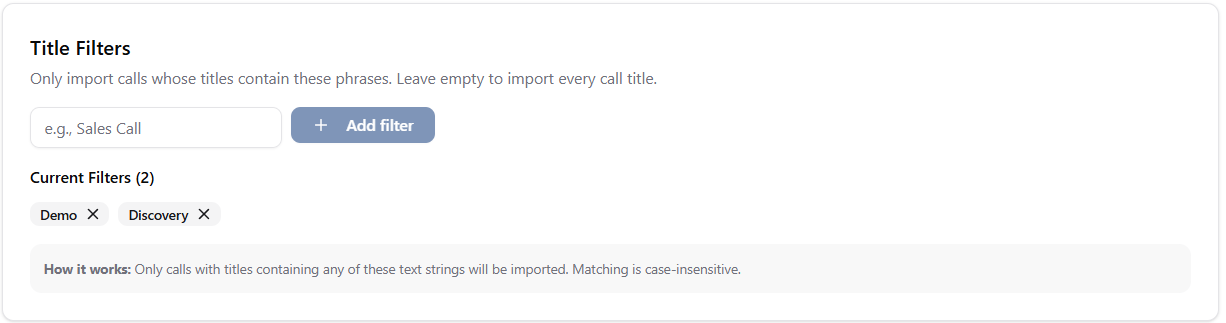
How they work
- If you have not added any title filters, all calls are allowed.
- If you have added one or more filters, a call’s title must match at least one filter to be processed.
- Matching is case-insensitive.
- The title just needs to contain your filter phrase somewhere. It does not need to match exactly.
Example
Filter phrase: demo
Matches
Product Demo
Demo with Acme
Follow-up demo call
Does not match
Internal Standup
Weekly Sync
- Sales Call
- Demo
- Discovery
- Consultation
- Strategy Call
Add a title filter
1
Go to the Meeting Filters page
2
Find Title Filters
Open the Title Filters area.
3
Enter a word or phrase
Add the word or phrase you want meeting titles to match.
4
Add the filter
Select Add filter.
Remove a title filter
1
Go to the Meeting Filters page
2
Find Current Filters
Open the list of existing title filters.
3
Remove the filter
Select the remove icon next to the filter you want to delete.