
Who can do this: Admins
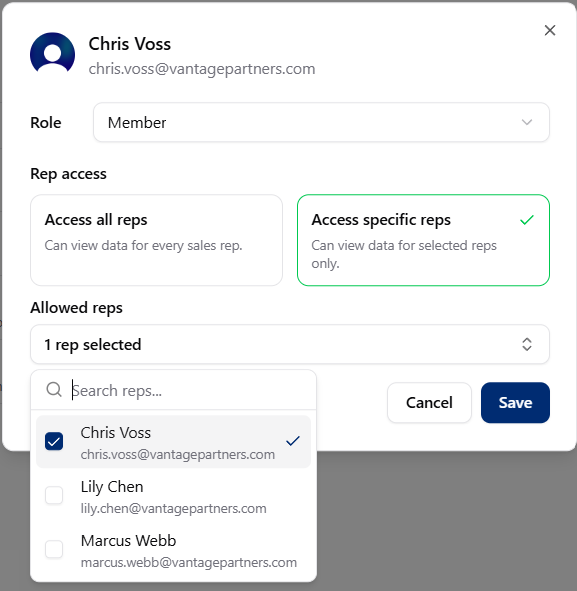
Assign rep access
1
Go to the Team page
2
Select the Member
Choose the Member whose rep access you want to update.
3
Open rep access settings
Open the Member’s rep access settings.
4
Choose an access type
Choose all reps, specific reps, or none.
5
Pick specific reps, if needed
If you choose specific reps, select the reps from the list.
6
Save the change
Changes take effect immediately.