> ## Documentation Index
> Fetch the complete documentation index at: https://docs.objectionly.com/llms.txt
> Use this file to discover all available pages before exploring further.
# Assign Rep Access
> Change which reps a Member can view in Objectionly.
**Who can do this:** Admins
Use rep access to control which sales rep data a Member can view.
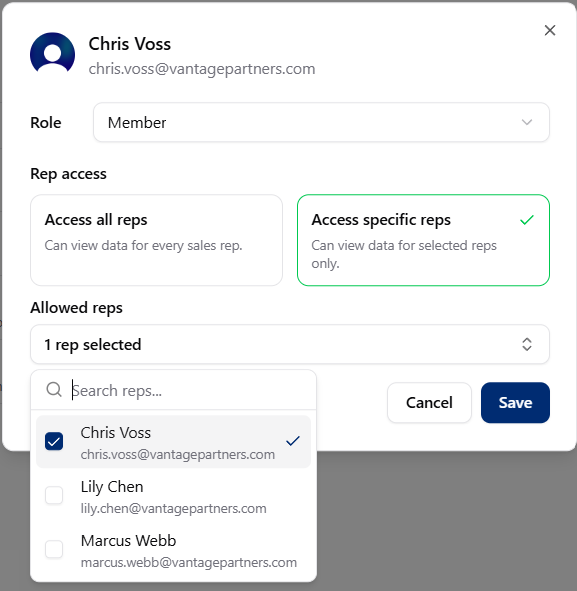 ## Assign rep access
Open Team page
Choose the Member whose rep access you want to update.
Open the Member's **rep access** settings.
Choose **all reps**, **specific reps**, or **none**.
If you choose specific reps, select the reps from the list.
Changes take effect immediately.
## Assign rep access
Open Team page
Choose the Member whose rep access you want to update.
Open the Member's **rep access** settings.
Choose **all reps**, **specific reps**, or **none**.
If you choose specific reps, select the reps from the list.
Changes take effect immediately.