> ## Documentation Index
> Fetch the complete documentation index at: https://docs.objectionly.com/llms.txt
> Use this file to discover all available pages before exploring further.
# Rep Filters
> Control whether calls from unknown hosts are processed or filtered out.
**Who can do this:** Admins
Rep Filters decide whether Objectionly should process calls from people who are not yet set up as reps in your workspace.
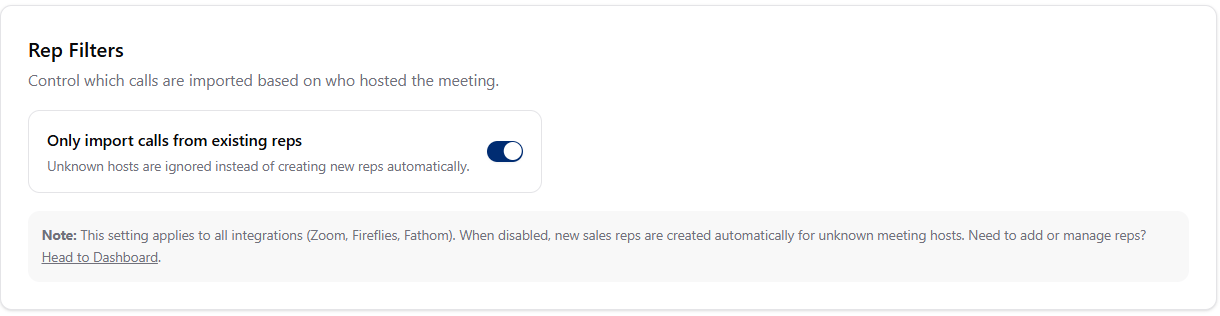 ## Only import calls from existing reps
* Objectionly only processes calls hosted by reps already in your workspace.
* Calls from unknown hosts are filtered out.
* Matching checks the rep's email and any unique identifiers you have saved.
* Objectionly automatically creates new reps when calls come in from unknown hosts.
* Useful when your team is still getting set up, or new reps join often.
## When to use each option
* Your team list is stable
* You want tight control over who gets tracked
* Every processed call matters for your plan
* You are still onboarding and adding reps
* You have frequent team changes
* You want Objectionly to auto-discover reps
## Change the rep filter setting
Open Meeting Filters page
Open the **Rep Filters** area.
Turn **Only import calls from existing reps** on or off.
Changes save automatically.
If you turn rep filtering on before adding your reps, their calls will be
filtered out. Add your reps first from the [Dashboard](/team-and-roles/add-a-rep).
## Only import calls from existing reps
* Objectionly only processes calls hosted by reps already in your workspace.
* Calls from unknown hosts are filtered out.
* Matching checks the rep's email and any unique identifiers you have saved.
* Objectionly automatically creates new reps when calls come in from unknown hosts.
* Useful when your team is still getting set up, or new reps join often.
## When to use each option
* Your team list is stable
* You want tight control over who gets tracked
* Every processed call matters for your plan
* You are still onboarding and adding reps
* You have frequent team changes
* You want Objectionly to auto-discover reps
## Change the rep filter setting
Open Meeting Filters page
Open the **Rep Filters** area.
Turn **Only import calls from existing reps** on or off.
Changes save automatically.
If you turn rep filtering on before adding your reps, their calls will be
filtered out. Add your reps first from the [Dashboard](/team-and-roles/add-a-rep).